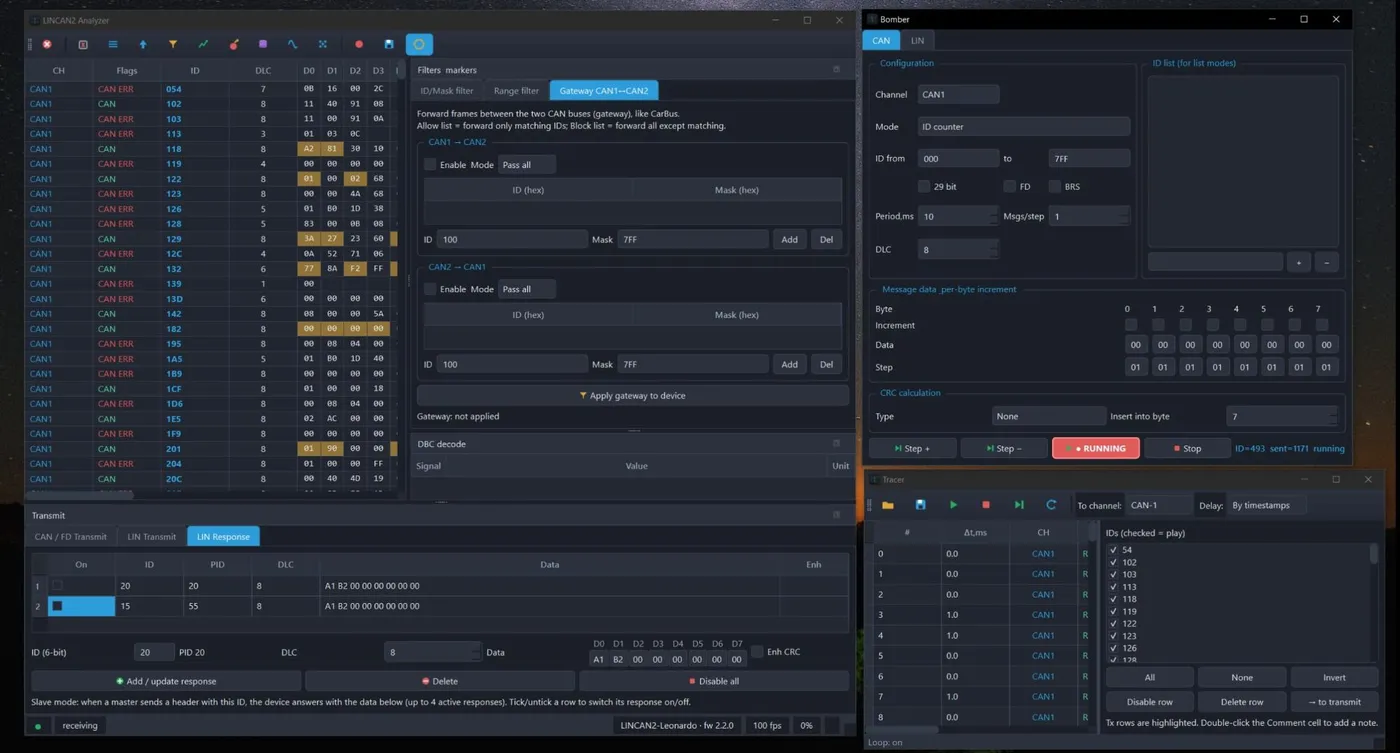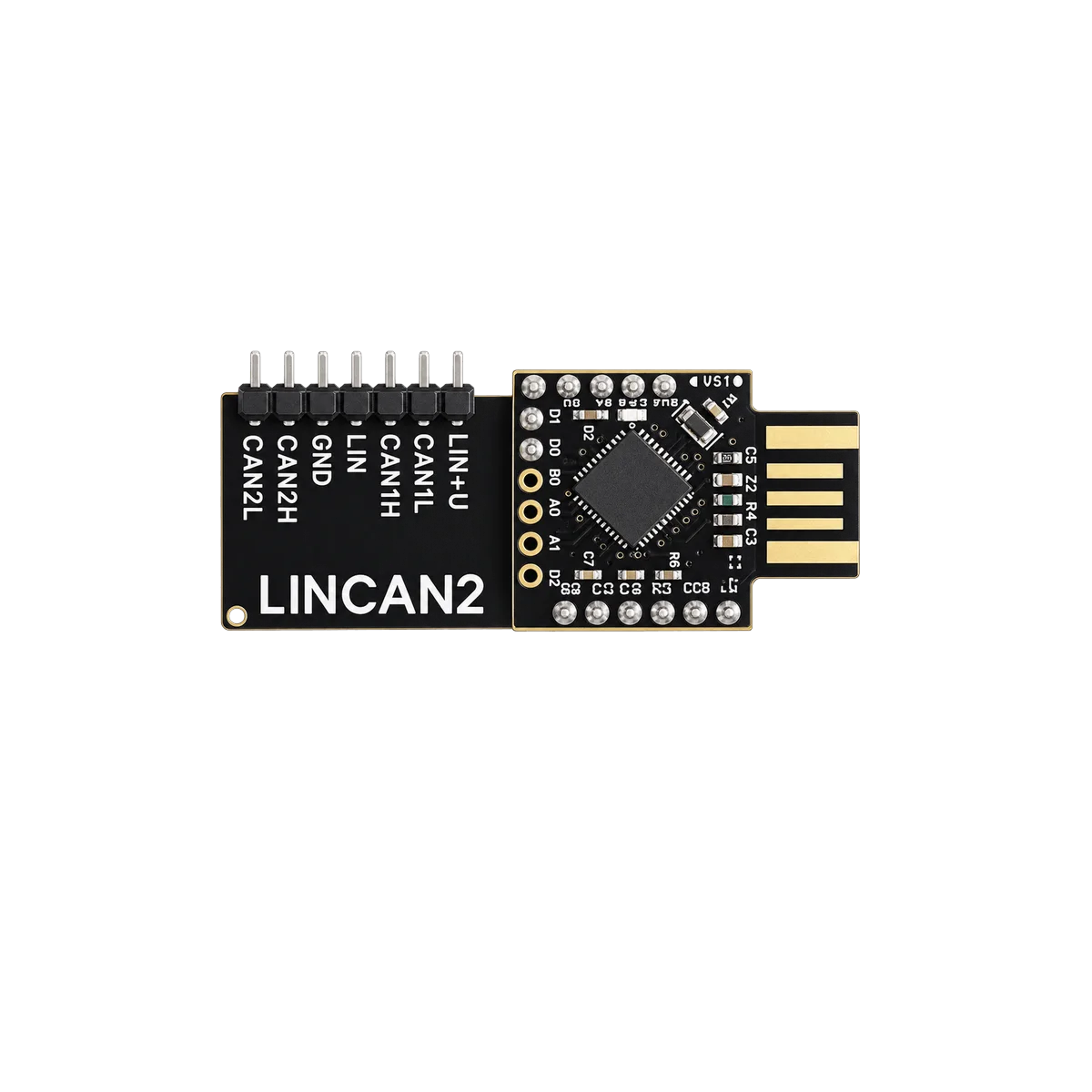
One stick, three buses
LINCAN2 plugs straight into a USB port and gives you two independent CAN / CAN-FD channels plus a LIN bus. A seven-pin header brings out LIN+U, CAN1L, CAN1H, LIN, GND, CAN2H and CAN2L, so you can watch two vehicle networks and a LIN sub-bus at the same time. Firmware is field-updatable (current build fw 2.2.0).
Live traffic, filters and markers
Every frame from both CAN buses and the LIN bus lands in one table: channel, flags, ID, DLC, data bytes with change highlighting, LIN CRC check, period, counters and ASCII view. ID/mask and range filters plus markers keep even a busy bus readable, and any row can be annotated with a comment.
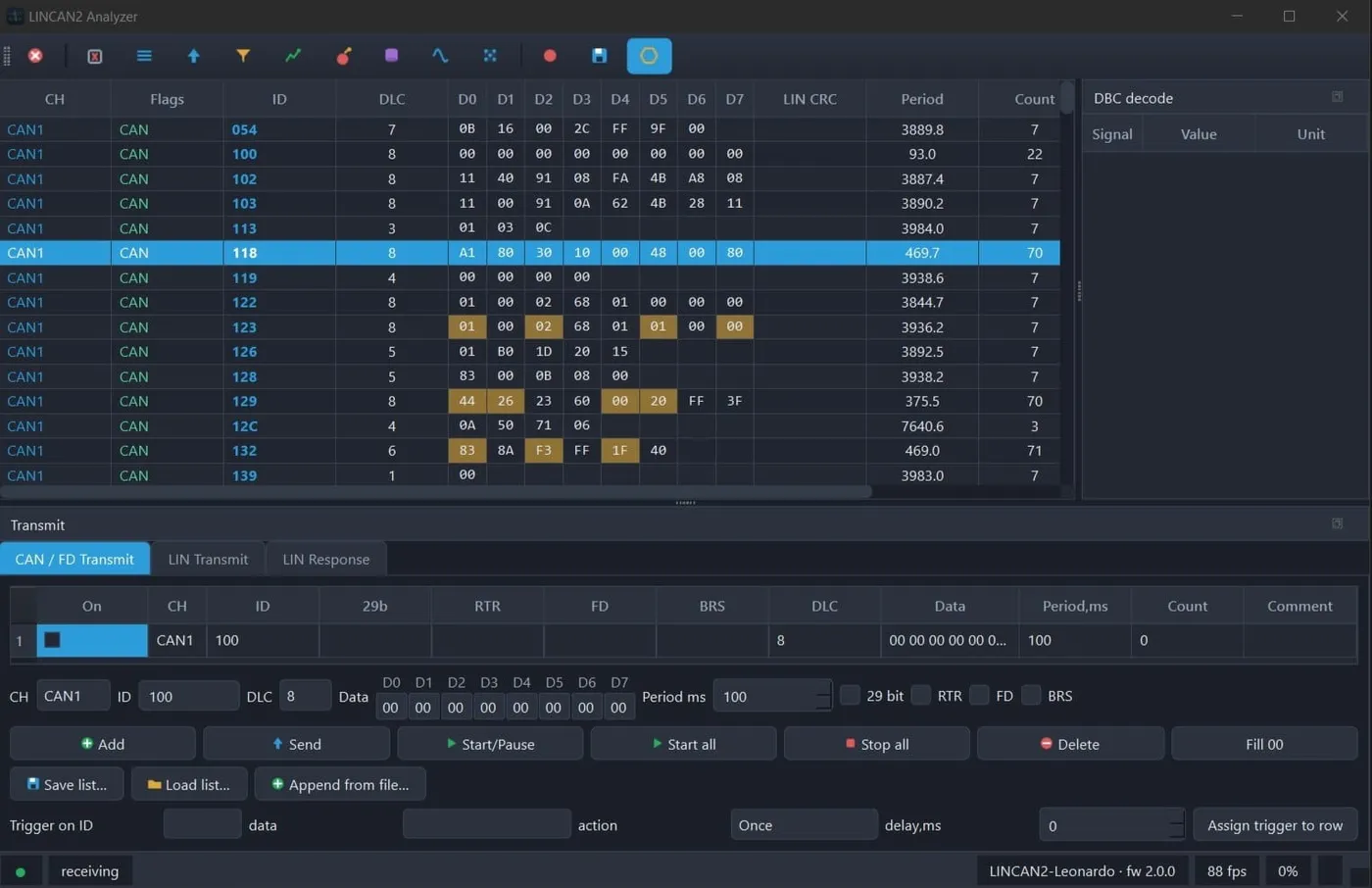
Live traffic with per-byte change highlighting and filters
Transmit CAN, CAN-FD and LIN
Send single or periodic frames (11/29-bit, RTR, FD, BRS), build transmit lists and save or load them from files. A trigger can fire a chosen frame when a matching ID and data appear on the bus, with a configurable delay. On LIN the device runs as master or slave: in LIN Response mode it answers incoming headers with up to four active responses, enough to stand in for a missing node on the bench.
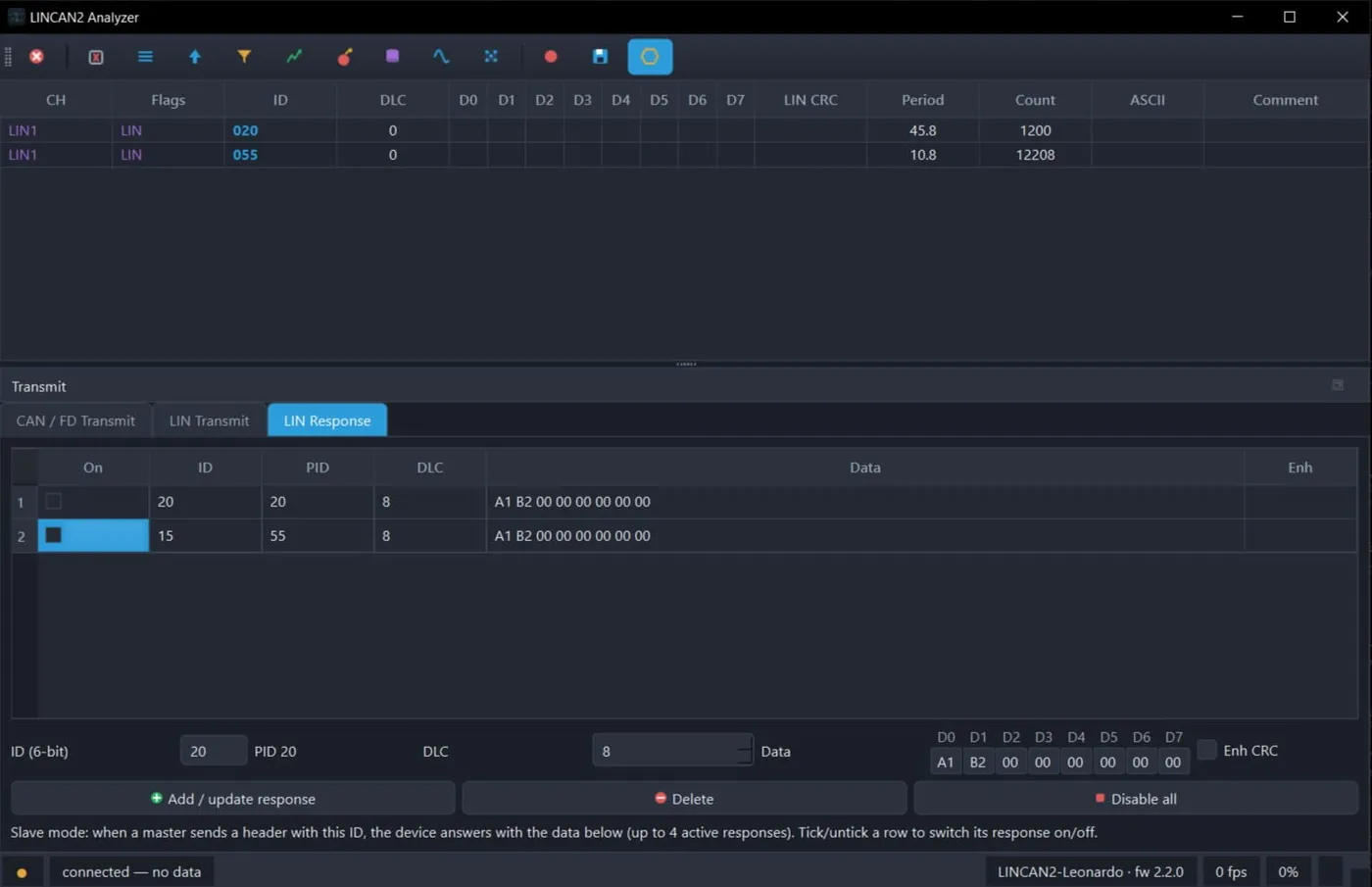
LIN Response mode — the device answers as a slave node
ID & data sweeping (Bomber)
A reverse-engineering helper for mapping an unknown bus: sweep an ID range or a fixed ID list, increment data per byte with an adjustable step, optionally insert a CRC into a chosen byte, and send at any period. It is built for bench work and authorised diagnostics — pair it with the live table to see which message controls the function you are studying.
Gateway CAN1 ↔ CAN2
Bridge the two CAN buses like a transparent in-line gateway. Allow-lists forward only matching IDs, block-lists forward everything except matching ones, and rules apply in each direction independently — useful for inserting the analyzer between a module and the rest of the network.
DBC decode & signal graphs
Load a DBC database and raw frames turn into named signals with engineering values and units — pack voltage, current and more decoded in real time. Plot any signal on the live graph to watch it change while you drive the bus.
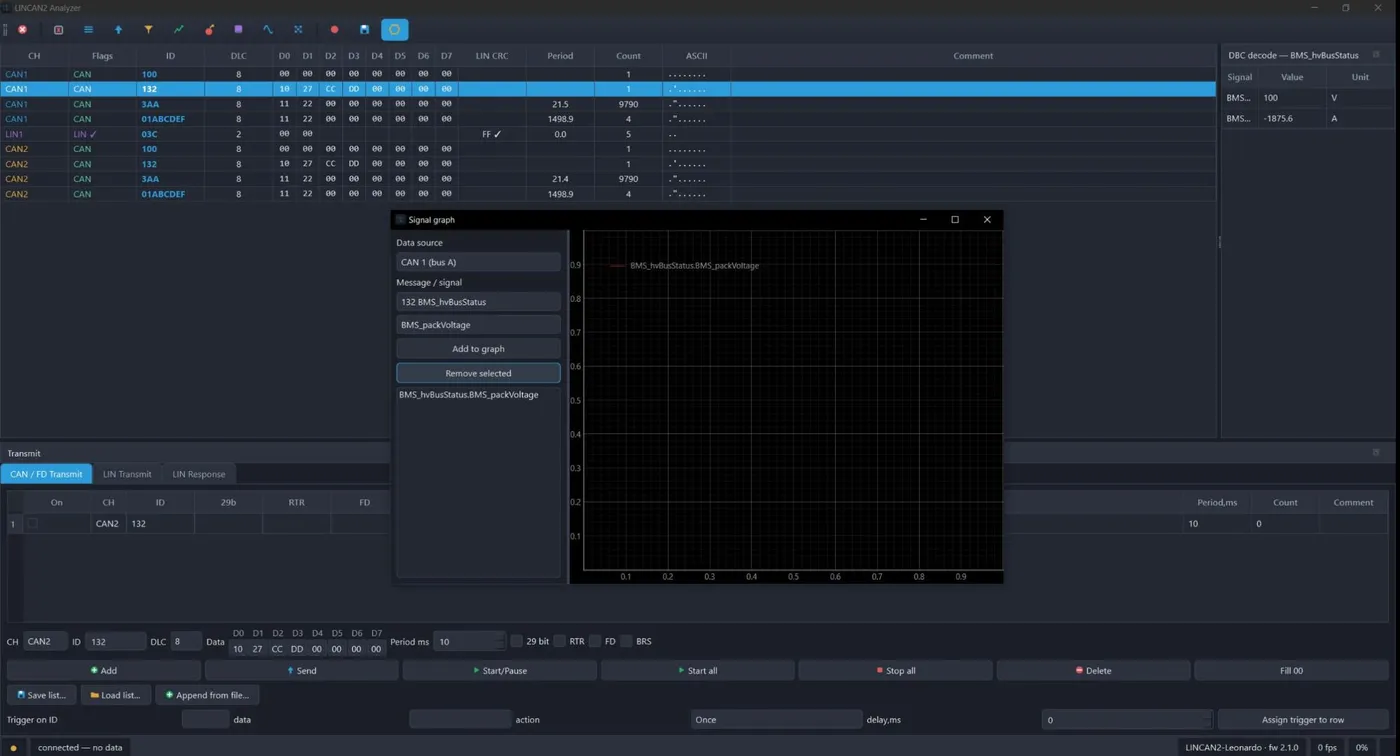
DBC decode with a live signal graph
Trace capture & replay
Record a session and play it back frame-by-frame or by original timestamps into a chosen channel, with per-ID selection and looping. Combine capture, gateway and transmit to reproduce and study a scenario as many times as you need.